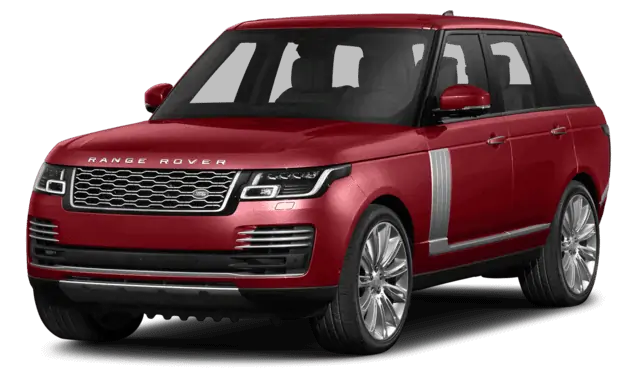
August 15, 2019 NHTSA CAMPAIGN NUMBER: 19V603000
Back-Up Camera May Not Display Image
Failure to display the rearview image will reduce the driver’s visibility, increasing the risk of a crash.
NHTSA Campaign Number: 19V603
Manufacturer Jaguar Land Rover North America, LLC
Components BACK OVER PREVENTION
Potential Number of Units Affected 14,277
Summary
Jaguar Land Rover North America, LLC (Land Rover) is recalling certain 2018 Range Rover and Range Rover Sport vehicles equipped with Continental Surround Camera Systems. The back-up camera system may fail to display the rearview image when the vehicle is in reverse.
Remedy
Land Rover will notify owners, and dealers will reprogram the infotainment system software, free of charge. The recall began October 2, 2019. Owners may contact Land Rover customer service at 1-800-637-6837. Land Rover’s number for this recall is N367.
Notes
Owners may also contact the National Highway Traffic Safety Administration Vehicle Safety Hotline at 1-888-327-4236 (TTY 1-800-424-9153), or go to www.safercar.gov.
Check if your Jaguar has a Recall
SAFETY RECALL N367 (NHTSA 19V-603) – PROXIMITY CAMERA SYSTEM STABILITY
| NAS19.09.011 | WORKSHOP | USA | AFTERSALES BULLETIN
SEPTEMBER 20, 2019 |
Jaguar Land Rover North America, LLC has informed the National Highway Traffic Safety Administration (NHTSA) of its intent to perform a Recall on certain 2018 model year Land Rover Range Rover Sport and Range Rover vehicles imported into the United States market. Information relating to this Recall will be posted on the National Highway Traffic Safety Administration website.
United States Federal regulations require that retailers must be notified within a reasonable time after the manufacturer decides that a defect that relates to motor vehicle safety or a noncompliance exists.
United States Federal law requires retailers to complete any outstanding Recall service before a new vehicle is delivered to the buyer or lessee. Violation of this requirement by a retailer could result in a civil penalty of up to $22,329.00 per vehicle.
This Aftersales Bulletin serves as notification to all Land Rover retailers in the United States and Federalized Territories that any affected new vehicles may not be sold and delivered for customer use until the Recall repair is completed.
THIS BULLETIN UPDATES AFTERSALES BULLETIN NAS19.09.001.
DESCRIPTION OF DEFECT
An issue has been identified on certain Land Rover vehicles within the listed Affected Vehicle Range equipped with the Surround Camera System which may fail to display the rearview image when a vehicle is about to reverse or is reversing.
AFFECTED VEHICLE RANGE
Range Rover Sport (L494)
Model Year: …………….. 2018
VIN: …………………………… SALWR2RV1JA400003-SALWR2RV8JA414769
……………………………………. SALWR2RK5JA695614-SALWR2RV0JA699970
……………………………………. SALWR4RY1JA162191-SALWR2RE9JA199970
……………………………………. SALWV2RE3JA800012-SALWR2RE9JA813920
Range Rover (L405)
Model Year: …………….. 2018
VIN: …………………………… SALGS4RY6JA361214-SALGS5REXJA399959
……………………………………. SALGS2RE7JA500017-SALGS2RE1JA516164
A total of 14,277 vehicles are potentially involved in the USA and Federalized Territories. Visit the British Brands Sales Suite (BBSS) website for a list of affected vehicles at your retailer.
EFFECT ON VEHICLE OPERATION
Failure to display the rearview image will reduce the driver’s visibility, and should the driver not check their surroundings appropriately, may increase the risk of a crash.
SERVICE PROGRAM / REWORK ACTION
Owners will be notified by mail and instructed to take their vehicle to an authorized Land Rover retailer for repair. There will be no charge to owners for this action.
If the vehicle software level is at a lower level than 17C, this software update enables a new InControl Touch Pro feature – Voice control of the navigation system. To utilize this feature, the vehicle owner will need to update their navigation maps to the latest version. Specific information on how to do this can be found in the Owner’s Handbook. If the maps are already at the latest level, the customer will have to wait until the next map update is available to activate this feature.
OWNER NOTIFICATION
Owner notification is expected to occur on or before October 14, 2019.
ACTION TO BE TAKEN
Use the Jaguar Land Rover claims submission system to make sure that the vehicle is affected by this Program prior to undertaking any rework action.
Retailers are required to HOLD affected new vehicles that are within your control and refrain from releasing the vehicles for new vehicle sale pending completion of the rework action. Affected vehicles already in the hands of customers should be updated at the next available opportunity.
Jaguar Land Rover North America recommends that affected sales demonstrator and loaner vehicles are repaired before use and that used vehicles are repaired before sale. Retailers who choose to proceed against this recommendation, where legally permitted, must clearly and conspicuously disclose the open recall to the applicable customers.
Refer to Technical Bulletin N367NAS, SAFETY RECALL – Proximity Camera System Stability, for detailed repair instructions.
PARTS
No parts required.
TOOLS
Refer to the Technical Bulletin referenced above for any required special tools.
WARRANTY
NOTE: use the Jaguar Land Rover claims submission system to make sure that a vehicle is eligible for this program prior to undertaking any rework action.
At the time of confirming a booking for vehicle repair, make sure that all outstanding Recall and Service Actions are identified to ensure the correct parts are available and adequate workshop time is allocated for repairs to be completed in one visit.
Warranty claims must be submitted quoting the Program Code together with the relevant Option Code. The SRO and parts information listed have been included for information only. The Option Code(s) that allows for the drive in/drive out allowance may only be claimed if the vehicle is brought into the workshop for this action alone to be undertaken.
Repair procedures are under constant review and therefore times / prices are subject to change; those quoted here must be taken as guidance only. Use TOPIx to obtain the latest repair time.
Warranty claims must be submitted for payment within 30 calendar days of completion of the repair.
| PROGRAM CODE | OPTION CODE | DESCRIPTION | SRO | TIME (HOURS) |
| N367 | A | InControl Touch Pro update | 85.87.20 | 0.5 |
| N367 | B | InControl Touch Pro update
Drive in/drive out | 85.87.20
02.02.02 | 0.5
0.2 |
| PROGRAM CODE | OPTION CODE | DESCRIPTION | SRO | TIME (HOURS) |
| N367 | C | InControl Touch Pro update using Software over the Air (SOTA) | 85.87.99 | 0.1 |
| N367 | D | InControl Touch Pro update using Software over the Air (SOTA) Drive in/drive out | 85.87.99
02.02.02 | 0.1
0.2 |
Normal Warranty policies and procedures apply.
TECHNICAL Q & A: SAFETY RECALL N367
Main Message: Vehicles equipped with the Surround Camera System which may fail to display the rearview image when a vehicle is about to reverse or is reversing.
| Q1 | Who do I contact if a member of the press contacts me about this recall? |
| A | Please ensure Press enquiries are referred to the Jaguar Land Rover North America Press Office to the attention of:.
Stuart Schorr
|
| Q2 | Why is Jaguar Land Rover recalling certain Land Rover vehicles? |
| A | Vehicles equipped with the proximity surround camera system may fail to display the rearview image when a vehicle is about to reverse or is reversing. This condition represents an unreasonable risk to safety if the rearview camera does not display an image (specifically defined in Federal Motor Vehicle Safety Standard (FMVSS) 111 – Rear Visibility) and the driver does not check their surroundings appropriately before reversing.
|
| Q3 | Can you tell me more about what is wrong with the vehicles? |
| A | 2018MY was coincident with certain technical changes to both hardware and software for these vehicles. Jaguar Land Rover determined that an elevated pattern and trend exists for a failure to display rear view image on 2018MY Range Rover Sport and Range Rover vehicles equipped with the proximity surround camera system.
|
| Q4 | How would the customer become aware of potentially having this concern? |
| A | Customers may notice a failure of the vehicle to display, delayed display, image unclear or an inappropriate image displayed in the rearview image on the center screen after selecting reverse gear.
|
| Q5 | Does this concern affect vehicle safety? |
| A | Yes, this condition poses unreasonable risk to safety if the rearview camera does not display an image (specifically defined in FMVSS 111) and the driver does not check their surroundings appropriately before reversing.
|
| Q6 | Has Jaguar Land Rover Limited received many complaints? |
| A | Yes, there have been four reported incidents of property damage for the population included in this recall. There have been no reported injuries or fires for the recall population.
|
| Q7 | Have there been any accidents or injuries? |
| A | Jaguar Land Rover is not aware of any accidents or injuries which have been attributed to this issue.
|
| Q8 | How was the condition discovered? |
| A | The concern was first identified when reports of rearview image issues were received.
|
| Q9 | How long has Jaguar Land Rover known about this problem? |
| A | The issue was first investigated on 6 February 2018.
|
| Q10 | Is the defect leading you to any concerns regarding the reliability of a system, which is supposed to be designed and engineered for the passengers’ safety? What type of measures are you planning to take? |
| A | We have no concerns with the overall reliability of the vehicle. Jaguar Land Rover carefully monitors field data to ensure that any matters relating to safety and compliance are rigorously investigated.
|
| Q11 | What has Jaguar Land Rover done in production? |
| A | 2018MY vehicles are no longer in production.
|
| Q12 | What will an authorized Land Rover retailer do to the vehicles? |
| A | Authorized Land Rover retailers will download the latest infotainment system software to the vehicle.
|
| Q13 | Which vehicles are affected by this recall? |
| A | The following vehicles manufactured from July 05, 2017 to July 03, 2018:
Range Rover Sport (L494) Range Rover (L405)
|
| Q14 | Are other Jaguar Land Rover models affected by these actions? |
| A | No other models, other than those listed on this document, are known to be affected by this condition.
|
| Q15 | Is the repair available to rework vehicles? |
| A | Yes.
|
| Q16 | Is this software also available via Software over the Air (SOTA)? |
| A | Yes.
|
| Q17 | How much will the recall cost Jaguar Land Rover? |
| A | Cost was not a factor in deciding to recall these vehicles.
|
| Q18 | How do I know if my vehicle is affected? |
| A | All owners of potentially affected vehicles will shortly receive a letter inviting them to contact an authorized Land Rover retailer for the work to be carried out.
|
| Q19 | How long does it take for the vehicle to be inspected and repaired? |
| A | The work will be carried out as quickly and efficiently as possible to minimize inconvenience to customers and is expected to take no longer than one (1) hour. Due to retailer schedules, vehicles may be required for longer.
|
| Q20 | Can I continue to drive my vehicle safely until it has been recalled? |
| A | Customers are advised to contact an authorized Land Rover retailer should they have any concerns regarding their vehicles.
|
N367NAS1
TECHNICAL BULLETIN
20 SEP 2019
INFORMATION
SECTION:
415-01
SUBJECT/CONCERN:
SAFETY RECALL – Proximity Camera System Stability
AFFECTED VEHICLE RANGE:
| MODEL: | MODEL YEAR: | VIN: |
| Range Rover Sport (LW) | 2018 | 162191-813920 |
| Range Rover (LG) | 2018 | 361214-516164 |
MARKETS:
USA
CONDITION SUMMARY:
SITUATION:
An issue has been identified on certain Land Rover vehicles within the listed Affected Vehicle Range equipped with the Surround Camera System which may fail to display the rearview image when a vehicle is about to reverse or is reversing.
Failure to display the rearview image will reduce the driver’s visibility and, should the driver not check their surroundings appropriately, may increase the risk of a crash.
ACTION:
Retailers are required to HOLD affected new vehicles that are within your control and refrain from releasing the vehicles for new vehicle sale pending completion of the procedure(s) detailed in this Technical Bulletin. Unsold vehicles should have this performed as part of the Pre-Delivery Inspection (PDI) process but must have it completed prior to vehicle handover to the customer.
Affected vehicles already in the hands of customers should be updated at the next available opportunity.
WARRANTY:
| NOTE: |
| Use the Jaguar Land Rover claims submission system to make sure that a vehicle is eligible for this program prior to undertaking any rework action. |
At the time of confirming a booking for vehicle repair, make sure that all open Recall and Service Actions are identified to make sure the correct parts are available and adequate workshop time is allocated for repairs to be completed at one visit.
Warranty claims must be submitted quoting the Program Code and the relevant Option Code; this will result in payment of the stated time. The SRO and parts information is included for information only. The Option Code(s) that allows for the drive in/drive out allowance may only be claimed if the vehicle is brought back into the workshop for this action alone to be undertaken.
Repair procedures are under constant review and therefore times/prices are subject to change; those quoted here must be taken as guidance only. Use TOPIx to obtain the latest repair time.
Warranty claims must be submitted or payment within 30 calendar days of completion of the repair.
| PROGRAM CODE | OPTION CODE | DESCRIPTION | SRO | TIME (HOURS) |
| N367 | A | InControl Touch Pro update | 85.87.20 | 0.5 |
| N367 | B | InControl Touch Pro update
Drive in/drive out | 85.87.20
02.02.02 | 0.5
0.2 |
| N367 | C | InControl Touch Pro update using Software Over The Air (SOTA) | 85.87.99 | 0.1 |
| N367 | D | InControl Touch Pro update using SOTA
Drive in/drive out | 85.87.99
02.02.02 | 0.1
0.2 |
Normal Warranty policies and procedures apply.
DIAGNOSTIC INSTRUCTION ‘A’: SOTA
1.
NOTE:
To verify a vehicle is SOTA capable, identify if there is a ‘Vehicle Software’ menu within the vehicle Touchscreen settings.
Update the InControl Touch Pro system using SOTA (see TOPIx Workshop Manual section 100-12: SOTA).
2.
If not able to update the Infotainment Master Controller (IMC) using SOTA, go to Diagnostic Instruction ‘B’.
DIAGNOSTIC INSTRUCTION ‘B’:
All vehicles
| NOTES: |
|
1.
| CAUTIONS: |
|
| NOTE: |
| The Jaguar Land Rover-approved diagnostic equipment will read the Vehicle Identification Number (VIN) for the vehicle and automatically take the vehicle out of ‘Transportation mode’ if required. |
Connect the Jaguar Land Rover-approved battery support unit.
2.
| CAUTION: |
| Disconnect any customer USB devices that are connected in any of the vehicle front and rear USB ports (as applicable) before connecting the Jaguar Land Rover-approved diagnostic equipment and commencing with the software update. After successfully completing the update and after disconnecting the Jaguar Land Rover-approved diagnostic equipment, connect the customer USB devices to their original location. |
Connect the Jaguar Land Rover-approved diagnostic equipment to the vehicle and begin a new session.
3.
Follow the Jaguar Land Rover-approved diagnostic 3. equipment prompts.
4.
| CAUTION: |
| At the start of this process, the Jaguar Land Rover-approved diagnostic equipment will transfer a large number of files to the Jaguar Land Roverapproved USB memory device. These will then be transferred to the vehicle. |
| NOTE: |
| The infotainment screen display will go blank or change color during this update, this is normal behavior and is to be expected when the software is being updated in the InControl Touch Pro control module. |
Select ‘ECU Diagnostics’.
- Select IMC’.
- Select ‘ECU Functions’.
- Select ‘Update – InControl Touch Pro’.
5.
| NOTE: |
| When the Jaguar Land Rover-approved diagnostic equipment has completed formatting the Jaguar Land Rover-approved USB memory device and copying over the software to the Jaguar Land Rover-approved USB memory device, the Jaguar Land Rover-approved diagnostic equipment will finish and advise the technician to install the Jaguar Land Rover-approved USB memory device into the vehicle’s USB port. The vehicle’s ignition must be ON, and the IMC must be ON and fully booted, this process can take up to 90 seconds. |
Follow all on-screen instructions until prompted to insert the Jaguar Land Roverapproved USB memory device into the Jaguar Land Rover-approved diagnostic equipment. Do as instructed before proceeding.
6.
Follow all on-screen instructions until prompted to transfer the Jaguar Land Roverapproved USB memory device from the Jaguar Land Rover-approved diagnostic equipment to the vehicle as instructed.
7.
Transfer the Jaguar Land Rover-approved USB memory device into the vehicle before proceeding on the Jaguar Land Rover-approved diagnostic equipment.
8.
Follow all on-screen instructions until the application prompts ‘Remove the Jaguar Land Rover approved USB memory device from the vehicle’.
9.
Follow all on-screen instructions until the application completes successfully.
10.
If prompted, select ‘ECU Functions’.
- Select ‘Update Speech Database’.
- Follow all on-screen instructions until the application completes successfully.
-
- Vehicles without Rear Seat Entertainment (RSE) only: go to Step 17.
- Vehicles with RSE only: go to Step 11.
Steps 11-16: vehicles with RSE only
11.
| CAUTION: |
| At the start of this process, the Jaguar Land Rover-approved diagnostic equipment will transfer a large number of files to the Jaguar Land Roverapproved USB memory device. These will then be transferred to the vehicle. |
| NOTE: |
| The infotainment screen display will go blank or change color during this update, this is normal behavior and is to be expected when the software is being updated in the InControl Touch Pro control module. |
Select ‘ECU Diagnostics’.
- Select ‘Infotainment Slave Controller (ISC)’.
- Select ‘ECU Functions’.
- Select ‘Update – InControl Touch Pro’.
12.
| NOTE: |
| When the Jaguar Land Rover-approved diagnostic equipment has completed formatting the Jaguar Land Rover-approved USB memory device and copying over the software to the Jaguar Land Rover-approved USB memory device, the Jaguar Land Rover-approved diagnostic equipment will finish and advise the technician to install the Jaguar Land Rover-approved USB memory device into the vehicle’s USB port. The vehicle’s ignition must be ‘ON’, and the IMC must be ‘ON’ and fully booted, this process can take up to 90 seconds. |
Follow all on-screen instructions until prompted to insert the Jaguar Land Roverapproved USB memory device into the Jaguar Land Rover-approved diagnostic equipment. Do as instructed before proceeding.
13.
Follow all on-screen instructions until prompted to transfer the Jaguar Land Roverapproved USB memory device from the Jaguar Land Rover-approved diagnostic equipment to the vehicle as instructed.
14.
Transfer the Jaguar Land Rover-approved USB memory device into the vehicle before proceeding on the Jaguar Land Rover-approved diagnostic equipment.
15.
Follow all on-screen instructions until the application prompts ‘Remove the Jaguar Land Rover approved USB memory device from the vehicle’.
16.
Follow all on-screen instructions until the application completes successfully.
All vehicles
17.
Delete all paired Bluetooth® devices:
- Select the ‘phone’ on the vehicle touchscreen.
- Select ‘Settings’.
- Select ‘Bluetooth® Settings’.
- Select ‘Forget all devices’.
- ‘All Devices Forgotten’ will be displayed when completed.
18.
Delete Customizable Home Page (CHP):
- Swipe across to the first CHP on the vehicle touchscreen.
- Press and hold until you are in ‘edit’ mode.
- If there is more than one CHP pages please scroll to the last.
- There will be a ‘Bin’ icon in the footer.
- The first Home Page created will not have this ‘Bin’ option, it requires the user to delete everything one by one.
19.
Select the ‘Settings ‘icon on the vehicle touchscreen:
- Select ‘All settings’.
- Select ‘Features’.
- Scroll down and select ‘Live’.
- Select ‘Delete Live’.
- Select ‘Yes’.
20.
If the vehicle has ‘navigation journey ETA share contacts setup’, the contacts will need to be deleted:
- Select the ‘Navigation’ function.
- Select the ‘Settings’ button.
- Select ‘Navigation Settings’.
- Select the ‘Settings’ button.
- Select ‘Navigation Settings’.
- Select ‘Edit profile’.
- Scroll down and select ‘Contacts’.
- Select the ‘Edit’ button displayed in line with the contact screen title.
- Select ‘Check all’.
- Select ‘Delete’.
- Confirm ‘Delete Action’.
21.
If required, reset the vehicle to ‘Transportation mode’.
22.
When all of the tasks are complete, exit the session.
23.
Disconnect the Jaguar Land Rover-approved diagnostic equipment and the Jaguar Land Rover-approved battery support unit.
24.
Turn ‘OFF’ the vehicle for a minimum of 10 minutes, to allow the vehicle modules to shut down.
TROUBLESHOOTING:
| CAUTIONS: |
|
In the event that an error is experienced during the software update process, the strategy implemented in the Jaguar Land Rover-approved diagnostic equipment can identify this error.
If an error is displayed, refer to the table below and complete the appropriate action:
| ERROR | FIRST ACTION | SECOND ACTION |
| ‘Jaguar Land Rover-approved USB memory device not found in the vehicle’ error message will be displayed. This Error message will be displayed: The Jaguar Land Roverapproved diagnostic equipment will prompt the user to swap the Jaguar Land Rover-approved USB memory device to the adjacent USB port in the event that the module is unable to read the Jaguar Land Rover-approved USB memory device. When this action is completed and the green tick selected, the module will attempt to continue the application using the adjacent USB port. |
|
|
| • Complete the Configure existing InControl Touch Pro application again using the Jaguar Land Rover-approved USB memory device. |
|
| ERROR | FIRST ACTION | SECOND ACTION |
| Module recovery in progress (30 minute process). The software download has failed and the module is recovering to the previous level. |
| – |
| The software download fails with ‘No response from ECU’ message during update. | In the event that this error is displayed, follow all on-screen instructions to exit the application. Submit a Technical Assistance (TA) request. | – |
| Software download fails and the Radio / Volume control is not working. | In the event that this error is displayed, follow all on-screen instructions to exit the application.
Submit a TA request. | – |
| ‘Failed to communicate with ECU’ is displayed by PATHFINDER to the user. PATHFINDER will not allow the IMC or ISC application to continue as the update fails due to a DID response concern. | In the event that this error is displayed, follow all on-screen instructions to exit the application.
Submit a TA request. | – |
| ERROR | FIRST ACTION | SECOND ACTION |
| InControl Touch Pro system constantly restarting – The system will constantly start, shut down and restart before an InControl Touch Pro Software Update. |
| – |
|
| – |
|
| – |
| ERROR | FIRST ACTION | SECOND ACTION |
| ‘The software has updated successfully, but a concern with Gracenotes has been detected’ is displayed by PATHFINDER to the user. |
| – |
1.
| NOTE: |
| In the event that an error is displayed which is not listed in the above table, follow all on-screen instructions to exit the application and complete the InControl Touch Pro application again. |
Submit a TA in the following instances:
- If the software update fails due to an above error and the actions do not resolve the concern.
- If the software update fails due to an error which is not listed in the above table, and repeated retries have proved unsuccessful.
When submitting a TA, include in the heading the relevant Technical Bulletin/Service Action number related to the software update. State the error and actions completed and attach the relevant session file to the TA.
IMPORTANT SAFETY RECALL
This notice applies to your vehicle,
October 02, 2019
Safety Recall N367: Proximity Camera System Stability
Vehicle Affected: Land Rover Range Rover Sport, Range Rover Model Year: 2018
National Highway Traffic Safety Administration (NHTSA) Recall Number: 19V-603
Dear Land Rover Owner:
This notice is sent to you in accordance with the National Traffic and Motor Vehicle Safety Act. Land Rover
has decided that a defect which relates to motor vehicle safety exists in certain 2018 model year Land Rover Range Rover Sport and Range Rover vehicles.
Your vehicle is included in this Recall action.
What is the reason for this program?
Vehicles equipped with the Surround Camera System which may fail to display the rearview image when a vehicle is about to reverse or is reversing. Failure to display the rearview image will reduce the driver’s visibility, and should the driver not check their surroundings appropriately, may increase the risk of a crash.
What will Land Rover and your authorized Land Rover Retailer do?
Land Rover is carrying out a recall of the vehicles mentioned above. An authorized Land Rover retailer will update the vehicle infotainment software to the latest level.
There will be no charge for this repair under this program.
What should you do?
Please contact your preferred authorized Land Rover retailer and provide them with your Vehicle Identification Number {VIN) and request a service date to complete the work required under Program Code ‘N367’.
Attention Leasing Agencies: If you are a vehicle lessor, Federal Regulations require you to forward this notice to your lessee within TEN (10) days.
How long will it take?
The work will be carried out as quickly and efficiently as possible in order to minimize inconvenience to customers and is expected to take approximately one (1) hour, although your retailer may need your vehicle for a longer time. Your retailer can provide you with a better estimate of the overall time for the service visit.
Moved or no longer own this Land Rover vehicle?
If you are no longer the owner of this vehicle, Land Rover would greatly appreciate the name and address of the new owner, using the return postage-paid card enclosed.
What should you do if you have further questions?
If you have any questions or concerns, please contact the Service Manager at your authorized Land Rover retailer for assistance. If you have queries or concerns that your local Retailer cannot address, please contact the Land Rover Customer Relationship Centre at 1-800-637-6837, Option 9, and one of our representatives will be happy to assist you.
You may also contact us by email using the following address: [email protected],
If you have the need to contact Land Rover by mail, please use the following address:
Jaguar Land Rover North America, LLC
ATTN: Customer Relationship Center
100 Jaguar Land Rover Way
Mahwah, NJ 07495
If after having attempted to take advantage of this recall you believe you have not been able to have your vehicle remedied without charge and within a reasonable amount of time, you may submit a complaint to the:
Administrator
National Highway Traffic Safety Administration
1200 New Jersey Avenue, SE
Washington, D.C. 20590
Or call the toll-free Vehicle Safety Hotline at 888-327-4236 (TTY: 800-424-9153), or go to
Land Rover appreciates your confidence in our product and wish to do everything we can to retain that confidence. We recognize this service visit may be an inconvenience to you. Land Rover, in cooperation with your authorized Land Rover retailer, will strive to minimize any inconvenience to you caused by this program.
Sincerely,
Rory Beattie
Vice President Customer Service
Jaguar Land Rover North America, LLC
LLAMADA A REVISION DE SEGURIDAD IMPORTANTE
Este aviso se aplica a su vehfcu lo,
2 de octubre del 2019
Llamada a revision de seguridad N367: estabilidad del sistema de la camara de proximidad
Vehiculo afectados: Land Rover Range Rover Sport, Range Rover
Aiio del modelo: 2018
Numero de llamada a revision de la National Highway Traffic Safety Administration (NHTSA, Administracion Nacional de Seguridad del Trafico en las Carreteras): 19V-603
Estimado propietario de Land Rover:
Este aviso se le envia en conformidad con la Ley Nacional de Trafico y Seguridad de Vehfcu/os Motorizados (de / ingles , Nat i onal Traffic and Motor Vehicle Safety Act). Land Rover decidio que existe un defecto relacionado con la seguridad de los vehiculos motorizados en algunos vehiculos Land Rover Range Rover Sporty Range Rover ano del modelo 2018.
Su vehiculo esta incluido en esta campana de llamada a revision.
¿Cual es el motivo de este programa?
Los vehiculos equipados con el sistema de camaras envolventes que puede no mostrar la imagen de vision trasera cuando un vehiculo realizara una maniobra de reversa o se encuentra en movimiento en reversa.
No visualizar la imagen de vision trasera disminuye la visibilidad del conductor y, si el conductor no observa su alrededor de forma adecuada, puede aumentar el riesgo de una colision.
¿Que medidas tomaran Land Rover y su concesionario Land Rover autorizado?
Land Rover esta llevando a cabo una campana de llamada a revision de los vehiculos mencionados anteriormente. Un concesionario Land Rover autorizado actualizara el software de informacion y entretenimiento del vehiculo al nivel mas actualizado.
No se aplicaran costos derivados de esta reparacion en este programa.
¿Que debe hacer?
Comuniquese con el concesionario autorizado de Land Rover de su preferencia, indique el numero de identificacion del vehiculo (VIN) y solicite una cita de servicio para completar el trabajo necesario con el codigo de programa “N367”.
Atencion, agencias de arrendamiento: si usted es un arrendador de vehiculos, las Normativas Federales requieren que envie este aviso a su arrendatario dentro de DIEZ (10) dias.
¿Cuanto tiempo lleva?
El trabajo se va a llevar a cabo tan rapida y eficazmente como sea posible para reducir al minimo las molestias a los clientes y se espera que tome aproximadamente una (1) hora, aunque es posible que su concesionario necesite su vehiculo durante mas tiempo. Su concesionario puede entregarle una mejor estimacion del tiempo total de la visita de servicio.
¿Que sucede si se mudo o ya no posee este vehfculo Land Rover?
Si usted ya no es el propietario de este vehfculo, Land Rover agradecerfa enormemente que le facilitara el nombre y la direcci6n del nuevo propietario, utilizando la tarjeta de franqueo pagado adjunta.
¿Que debe hacer si tiene mas preguntas?
Si tiene alguna pregunta o duda, comunfquese con el gerente de Servicio de su concesionario Land Rover autorizado para obtener asistencia. Si tiene alguna duda o pregunta que su concesionario local no pueda resolver, comunfquese con el Centro de atenci6n al cliente de Land Rover, llamando al 1-800-637-6837, opci6n 9, y uno de nuestros representantes estara encantado de ayudarlo.
Tambien puede comunicarse con nosotros a traves de correo electr6nico, escribiendo a la siguiente direcci6n: [email protected].
Si necesita comunicarse con Land Rover a traves de correo electr6nico, escriba a la siguiente direcci6n:
Jaguar Land Rover North America, LLC
ATTN: Customer Relationship Center
100 Jaguar Land Rover Way
Mahwah, NJ 07495
Si despues de haber intentado beneficiarse de esta llamada a revisi6n, cree que su vehfculo no se pudo reparar sin costos ni dentro de un plazo razonable, puede presentar un reclamo a:
Administrator
National Highway Traffic Safety Administration
1200 New Jersey Avenue, SE
Washington, D.C. 20590
0 llame al numero de la lfnea directa gratuita de Seguridad Vehicular, 888-327-4236 (TTY: 800-424-9153), o ingrese al sitio https://www.safercar.gov.
Land Rover agradece su confianza en nuestro producto y desea hacer todo lo posible para mantenerla. Reconocemos que esta visita de servicio puede ser un inconveniente para usted. Land Rover, en colaboraci6n con su concesionario Land Rover autorizado, se esforzara por reducir al mfnimo cualquier inconveniente que este programa pudiera causarle.
Atenamente,
Rory Beattie
Vicepresidente de Servicio de Atenci6n al Cliente
Jaguar Land Rover North America, LLC
573.6 (c) (6) – Chronology of Events for N367:
A Product Safety and Compliance Committee (PSCC) investigation was opened on February 6, 2018 where reports of rearview image issues were received.
Initial assessments revealed the presence of random and sporadic occurrences and an absence of any determined pattern or trend relating to the display of rearview image. During March to June 2018, the Jaguar Land Rover Engineering team conducted a detailed technical investigation into the reports received. During this period, the investigation was routinely reviewed at PSCC.
Over the course of the second half of 2018, a task force of subject matter experts was organized to thoroughly analyze data regarding reports of rearview image performance and to perform a technical deep-dive into the performance of the rearview image display systems.
The PSCC periodically received updates approximately once per quarter from the task force regarding the determination of any pattern or trend of issues relating the camera system and technical investigation.
The task force reported to the PSCC in late January 2019, where they revealed a more focused investigation was now being completed on 2018 Model Year (18MY) specification vehicles, this being coincident with certain technical changes made to both hardware and software. The task force was requested by the PSCC to conduct further analysis to determine any pattern and trend of error states for the varying camera and software configurations.
The issue was reviewed at the PSCC with the task force on 19 March, 2019 where focus on
18MY Range Rover and Range Rover Sport vehicles equipped with Continental Camera
Systems was requested as these model lines received both hardware and software changes at 18MY. The task force and PSCC agreed to continue to review data for 18MY in order to obtain a robust analysis for the Continental Camera Systems.
The PSCC reviewed the data analysis from the task force in July 2019, at which time a pattern and trend in warranty claim rates and property claim damages were identified as emerging for 18MY Range Rover and Range Rover Sport vehicles equipped with Continental Camera Systems.
The investigation was progressed to the Recall Determination Committee (RDC) who met on July 25, 2019 and at which the RDC requested further analysis from the task force to ensure the failure modes were correctly defined and understood.
At the PSCC of August 06, 2019 all of the failure modes that relate to 18MY Range Rover and Range Rover Sport vehicles equipped with the Continental Surround Camera System were reviewed revealing an elevated rate of rearview image issues impacting these two models and model years. The issue was requested to be returned to RDC for final determination.
The RDC reviewed all information again on August 08, 2019 and determined an elevated rate of pattern and trend exists on 18MY Range Rover and Range Rover Sport vehicles equipped with the Continental Surround Camera System. The Committee determined the condition represents an unreasonable risk to safety if the rearview camera does not display an image (specifically defined in FMVSS 111) and the driver does not check their surroundings appropriately before reversing and determined that a safety recall be conducted.
There have been 4 reported incidents of property damage for the population included in this recall.
2 Affected Products
Vehicles
| MAKE | MODEL | YEAR |
| LAND ROVER | RANGE ROVER | 2018 |
| LAND ROVER | RANGE ROVER SPORT | 2018 |
14 Associated Documents
Recall Quarterly Report #1, 2019-4
RCLQRT-19V603-9626.PDF 211.152KB
ISSUED Owner Notification Letter(Part 577) – Spanish
RCONL-19V603-4416.pdf 323.973KB
Defect Notice 573 Report
RCLRPT-19V603-6013.PDF 214.029KB
Recall Acknowledgement
RCAK-19V603-6650.pdf 281.531KB
Chronology
ISSUED Owner Notification Letter(Part 577)
RCONL-19V603-7144.pdf 298.079KB
Miscellaneous Document – USA Market Recall Launch Status Information
Recall Quarterly Report #2, 2020-1
RCLQRT-19V603-1711.PDF 211.255KB
Manufacturer Notices(to Dealers,etc) – Sample ONL October 2019
RCMN-19V603-2205.pdf 122.442KB
Remedy Instructions and TSB
RCRIT-19V603-2937.pdf 263.326KB
Manufacturer Notices(to Dealers,etc)- NOTIFICATION OF SAFETY RECALL N367 (NHTSA 19V-603)
RCMN-19V603-7657.pdf 119.413KB
Recall 573 Report – Amendment 2
RCLRPT-19V603-1654.PDF 213.635KB
Miscellaneous Document – N336 & NEW RECALL N367 SAFETY RECALL LAUNCH STATUS
RMISC-19V603-2178.pdf 27.387KB
Recall 573 Report – AMENDMENT 1
RCLRPT-19V603-5759.PDF 214.022KB
Latest Recalls Documents
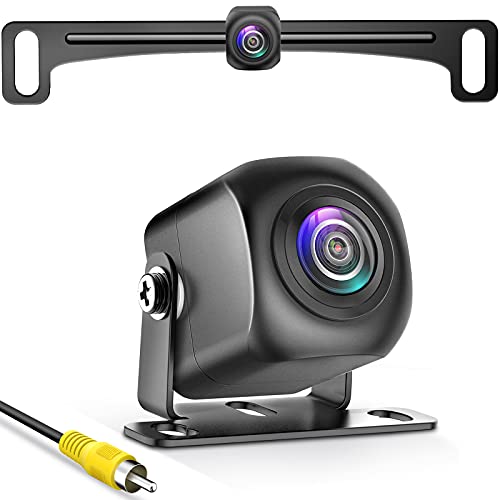
- 【Continuous Upgraded 1080P AHD Backup Camera】After launching three car backup cameras, PixelMan further upgrade and launch the new reversing camera PMD2A-S. This car camera use the latest chip special for reversing camera made in Japan, this chip not only has excellent image output, but also has stunning performance under strong light and dark light. Strict in details and only make the best products is what PixelMan pursues. It is also essential to you, isn't it?
- 【Support HD and AHD switching】This upgraded back up camera even supports HD and AHD switching. Each optimization improves the definition, signal stability, waterproof performance, durability, installation, etc. Our vehicle backup camera can be switched to AHD signal output to achieve 1080P display (Under the premise that the screen supports AHD signal).
- 【1/2.7in AHD 1080P Large Chip Adopted in This Reverse Cam】The chip size determines the amount of reversing camera output pixels, compared with 1/4in chip used in ordinary backup cam, the most apparent feature is the enhanced brightness and color saturation besides of the sufficient clarity. The colors become more vivid and true, the increased brightness makes the images more clearly, meanwhile, the night vision effect also be enhanced, you can back the car easily without extra light at night.
- 【170° Wide Angle Optical Glass HD Lens】The lens is the core component of the reverse camera for car. The HD lens used in PMD2A-S wide angle backup camera is very different from ordinary lens in appearance, it has a larger aperture and a stronger sense of technology. High transmittance glass, fish eye appearance, F1.4 aperture, all these features directly determine the wide angle, maximum output pixels and night vision performance of the license plate camera.
- 【Back Up The Car Easily】Whether it is day or night, you can see almost everything behind the car when reversing, PixelMan camera for car reverse will let your driving easier and safer. Isn’t it what you need?
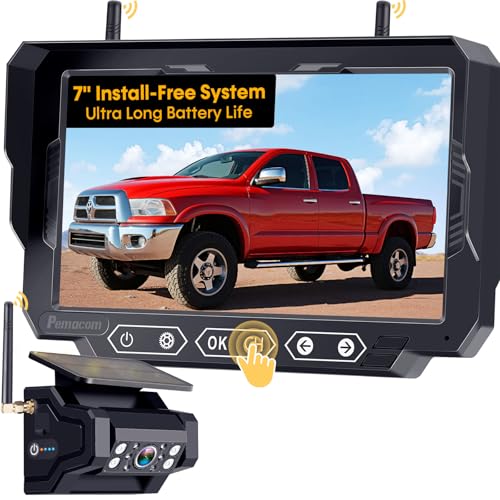
- 1 MINUTE MAGNETIC QUICK INSTALL: This backup camera for truck features a base with 6 powerful magnets made from "3rd generation rare earth permanent NdFeB magnets." It remains functional in extreme conditions, withstanding temperatures as low as -452°F and as high as 1166°F without demagnetizing or falling off. The wireless backup camera base is coated with a soft rubber layer, offering excellent wear resistance while protecting your vehicle's paintwork without compromising the magnetic strength
- SCREEN RESOLUTION & HD NIGHT VISION: Pemacom's self-developed algorithm can improve the clarity of the backup camera picture by about 80% compared to the original. The backup camera wireless is also equipped with the most unique CMOS image sensor and 1080P color chip, which can quickly analyze the picture, and also provide clearer picture at night or under low light environment, effectively suppress glare, restore the truest color, reduce safety hazards, and ensure safer driving
- POWERFUL DIGITAL SIGNAL: The back up camera systems for truck features a more powerful digital signal receiver with frequency hopping technology. It supports 2.4GHz WiFi transmission, offering enhanced anti-interference and stability, increasing performance by 70%. The image remains clear, without frame drops or delays. The magnetic backup camera's signal transmission distance reaches up to 33 feet, suitable for trucks, pickups, cars, trailers, campers, small RVs, and hitch trailers
- EXTRA LONG 24-HOUR BATTERY LIFE: This portable truck backup camera features a built-in 15,000mAh rechargeable lithium-ion battery with larger capacity. The solar backup camera also includes a 5W solar panel and a 5V-2A TYPE-C charger, ensuring longer battery life when power is low or sunlight is limited. A full 5-hour charge provides up to 24 hours of use, making it ideal for long-distance travel
- POWER-SAVING AUTO SLEEP MODE: When the wireless backup camera for trucks is not in use, you can turn off the monitor via the cigarette lighter or USB plug, and the rear view camera automatically enters energy-saving sleep mode. This feature unnecessary power consumption, extends battery life, and improves both safety and durability—without the need for manual shutdown

- PLUG AND PLAY: The backup camera for car takes only 15 minutes from start to finish installation, just 2 steps: ① First connect the camera and monitor through the 4-pin video power cable made of 3.0MM pure copper that comes with the camera. ② Then plug the backup camera system into the cigarette lighter or USB plug (not included), manual switch, plug and play. Or you can also connect it to the reversing lights only as a reversing use, automatically triggering the reversing image when reversing
- STABLE SIGNAL TRANSMISSION: The LK3 back up camera for cars is superior in signal stability compared to other backup camera kit. It will automatically minimize energy loss during transmission, not only will there be no signal delays, interference, fluctuations or intermittent problems, but also realize the transmission of real-time data, providing you with HD 1080P color images at all times, to ensure safer driving
- WATERPROOF & HIGHLY WEATHER-RESISTANT: The backup camera for truck housing is made of ABS-TC material and also utilizes the latest nano-coating sealing technology with IP69 level waterproof performance, which is able to work perfectly and provide clear images in extreme environments from -22°F to 176°F. It is like a brave guardian, not eroded by any water or fine particles, tenaciously resisting the baptism of wind/rain/dust/high and low temperatures, enhancing the safety index and service life
- ULTRA HD PICTURE: The back up camera systems for car adopts advanced optical anti-shaking technology with SC1346 color image sensor chip to avoid the problem of shaky and blurred images when driving on bumpy roads
- UNIVERSAL COMPATIBILITY AND ADJUSTABLE SETTINGS: The backup camera with monitor is universally compatible with most vehicles, including cars, trucks, trailers, RVs, vans, SUVs, campers, and more. It effectively eliminates blind spots on your vehicle, enhancing safety. Additionally, you can adjust various settings such as brightness, contrast, and image flip to optimize the viewing experience for different lighting conditions and personal preferences

- UPGRADED 4K UHD CLARITY - Experience stunning detail with the front camera's upgrade to 4K UHD (2160p) resolution, paired with a 1080p rear camera. The extra-large 12" display provides 1.5 times the viewing area of a standard mirror, significantly reducing blind spots for enhanced safety.
- 5.8GHz WiFi&GPS TRACKING - The included external GPS antenna enables real-time GPS data display directly on the dash cam. Connect to your phone via Wi-Fi and use the "WOLFBOX" app on iOS or Android devices to real-time viewing, playback recordings, and quick sharing of videos.
- LARGER SCREEN & WIDER VIEW - The WOLFBOX G840S mirror camera features a 170° front lens and a 140° rear lens, offering a broader field of view to minimize blind spots during driving and reversing. The smart split-screen function allows simultaneous monitoring of both lenses, while the 2.5D curved screen seamlessly integrates with your vehicle’s interior.
- SUPERIOR NIGHT VISION & IMAGE QUALITY - The G840S mirror dash camera is equipped with an upgraded low-reflectivity LCD to reduce daytime reflections. With incorporated WDR & HDR technology for balanced lighting, and a professional-grade sensor paired with a 6-glass lens for superior image quality, nighttime driving or challenging lighting conditions are handled with ease.
- 24-HOUR PARKING MONITOR - Beyond on-the-road safety with loop recording, the WOLFBOX camera also features a 24-hour parking monitor. Time-lapse mode records at a low frame rate to conserve power and storage while ensuring continuous surveillance of your vehicle. (A hardwire kit is required for parking monitoring.)

- Premium Quality:This reversing camera can provide a long service life and excellent performance, Features A High-quality, Wide-angleLens For Clear Resolution And Additional Electronics Protection For Reliability In Harsh Conditions. High quality ABS material is used, day and night provide a fine, clear picture.
- Function: This rearview camera can help you clearly see obstacles or pedestrians behind your car when reversing, so that your car can park more accurately into garages and parking Spaces. Stable Signal & Real-time Image .Help you to observe situations behind your car more clearly when reversing and parking, avoid friction and bumps, increase safety as well!
- Compatibility: Comptible with2011 2012 2013 2014 2015 Ford Explorer,this backup camera comes with all the wiring and connectors. It won't destroy the original car style and retains the original car trunk switch function.
- OEM Design: During Each Step Of Production Multiple Quality Control Checks Are Performed to meet or exceed OE (original equipment) fit, form, and function and Insure Each And Every Part Lasts For Years To Come.
- Easy setup: This backup rearview camera is easy to install, oem plug and play, uses quality materials and has a long life.
Last update on 2026-05-27 / Affiliate links / Images from Amazon Product Advertising API
This product presentation was made with AAWP plugin.